
Appearance
Overview of Online CS-102
CS-102 HTML Checker
Purpose of the HTML Checker
As you work on the HTML assignments in CS-102, you can receive feedback on some basic aspects of your code. This is a good way to check your work as you build parts of your assignment. The HTML Checker for CS-102 will examine your project and let you know if you are using correct HTML and CSS elements as covered in the online lessons Lessons. It will provide feedback on what is correct and what is missing or incorrect. It is intended to be a helper as you tackle assignments, like an instructor that can provide help (but not solutions) in our online class setting. | 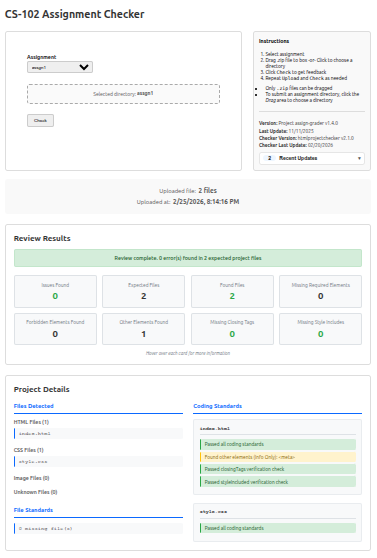 |
You will use the HTML Checker towards the end of your work on each assignments
This Tool is a Checker, not a Grader
This tool checks your assignments, but is not the final grader of your work. The instructor will review your submitted assignments and assign a final grade.
Even if all parts of the assignment are green in the checker, that does not mean you will receive a 100% grade for your work.
You must still ensure that your work completely satisfies the assignment.
Using the HTML Checker in your Assignment Workflow
Check Your Project
- Open the HTML Checker Site
- Open the CS102 Page
- Select the assignment
- Click on the Drag .zip here or click to choose an assignment folder section
- Navigate to your project folder. Select it and click OK/Upload
- When the HTML Checker asks if you want to upload files, click
Upload
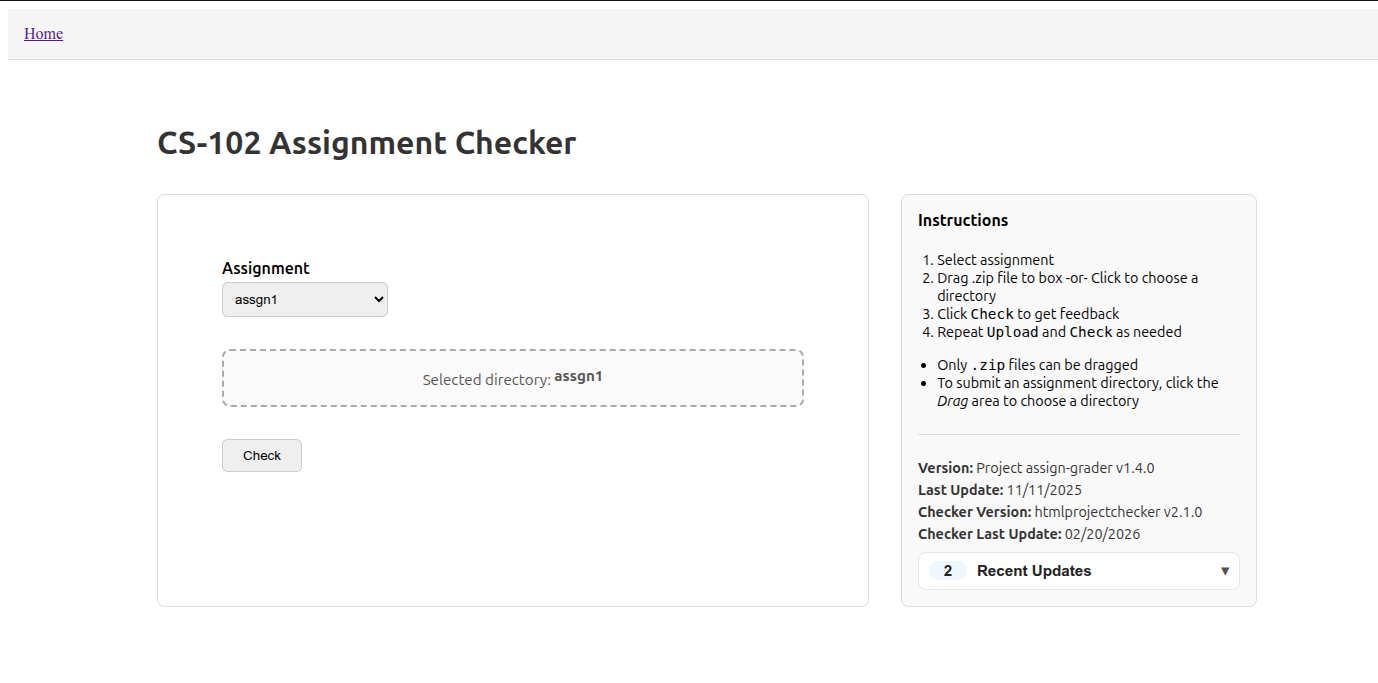
- Click the
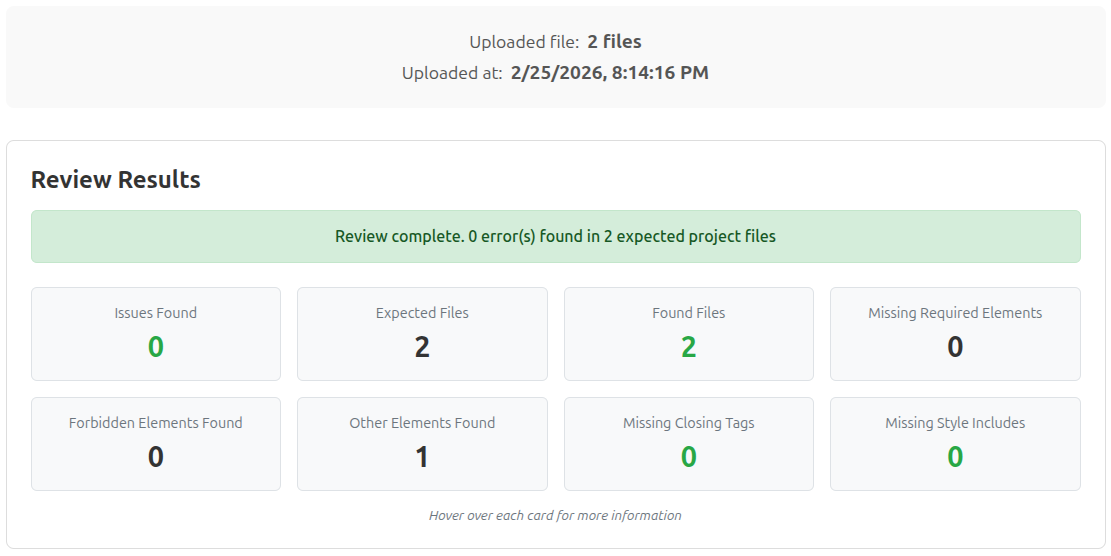
Checkbutton - After a few seconds, results appear below the main page. Scroll down to review results
- An overall status will appear at the top
- Below the status are cards that show results for the main requirements and standards
- Hover over each for some additional information
- Green numbers indicate a successful requirement/standard
- Red numbers indicate issues with a requirement/standard
- Black numbers indicate information for a requirement/standard
- Scroll down to review additional information, such as files names submitted and hints on particular issues
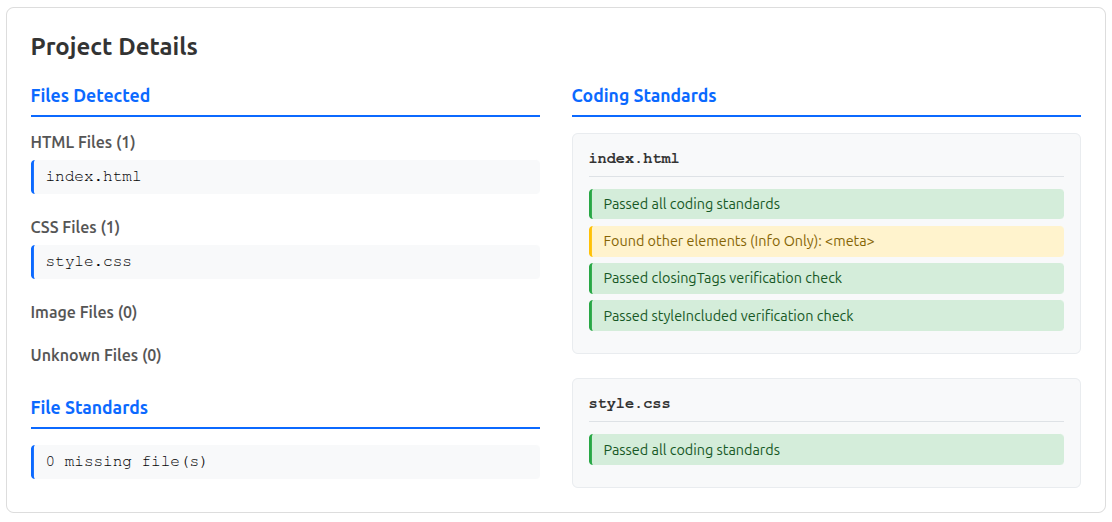
Info Only is OK in Small Numbers
Any details that include Info Only are items not expected in the project, but are not an issue to be fixed
If you have several Info Only items in your project, make sure you understand why you included them. They may cause issues with other elements